
Overview
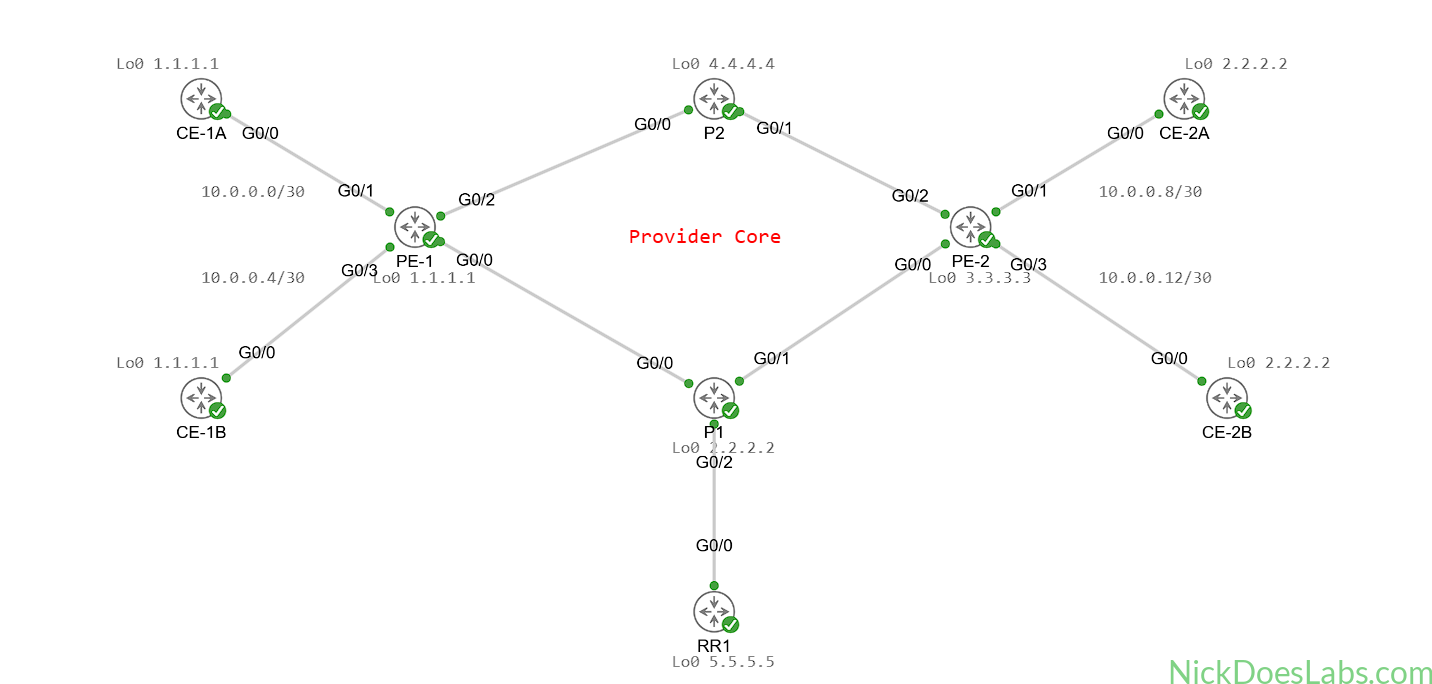
In this lab we will look at how to configure a Route Reflector for our VPNv4 routes in a Layer 3 VPN. I’ll be using the topology I built in Building a Layer 3 MPLS VPN in Cisco Modeling Labs. You can download the lab.yaml file and router configurations for the Layer 3 MPLS VPN here.
Scenario
A service provider is providing Layer 3 VPN Services to two customers. Instead of using full-mesh bgp peering for their PE routers, they would like to implement a Route Reflector to reduce their bgp complexity and overhead.
Method
We will use the IOS Xrd image in Cisco modeling labs to build the Route Reflector. Since it only participates in BGP peering and not traffic forwarding it does not need to be configured for MPLS. It does need to be configured with IS-IS for reachability to the PE routers. I’m not going to explain the IS-IS configuration here since it is explained in detail in Building a Layer 3 MPLS VPN in Cisco Modeling Labs. The end result is that we will eliminate the need for each PE router to peer with every other PE router. The PE routers will only peer with the route reflector, creating a single centralized source of truth for VPNv4 routes.
Equipment
I’ll be using the same equipment that I used in my Layer 3 MPLS VPN lab with the addition of an IOS XRd Rotue Reflector. If you’d like you can download the Layer 3 MPLS VPN files to follow along.
- Customer Edge Routers (iOSv)
- CE-1A
- CE-1B
- CE-2A
- CE-2B
- Provider Edge Routers (XRd)
- PE-1
- PE-2
- Provider Core Routers (XRd)
- P1
- P2
- Provider Route Reflectors (XRd)
- RR1
Step 1 – Configuring the Route Reflector
On our route reflector, RR1 we have already established and tested reachability to each PE routers using IS-IS. We have given RR1 a loop back of 5.5.5.5 and set that as its bgp router-id. Our AS number is 500, which matches our PE routers and tells the router we are using iBGP.
On IOS XR BGP extended communities are sent by default when using iBGP (explained here). This means our route targets will be sent along with our routes which is crucial. We do need to tell the router that we are advertising VPNv4 unicast using the address-family VPNv4 unicast command.
Since we are using the same BGP settings for all neighbors we will make a neighbor group to simplify our config. In this neighborhood group we will specify that the neighbors are route-reflector clients. Finally we will specify our neighbors and add them to the neighbor group. The complete BGP config for RR1 looks like this:
!!!! on RR1 !!!!
router bgp 500
 bgp router-id 5.5.5.5
 address-family vpnv4 unicast

 neighbor-group PEERS
  remote-as 500
  update-source Loopback0
   route-reflector-client
  !
 !

 neighbor 1.1.1.1
  use neighbor-group PEERS
 !

 neighbor 3.3.3.3
  use neighbor-group PEERS
 !
Step 2 – Configuring the PE Routers
For each provider edge router we will set our autonomous system number to 500, like our route reflector. We will then configure the route reflector as a neighbor, and set the update source to loopback 0. We also need to specify that we are using vpnv4 unicast here. I’ve already removed the neighborships between the PE routers, so the route reflector will be their only neighbor. The config for both PE routers looks like this:
!!!! on PE !!!!!
router bgp 500
neighbor 5.5.5.5
  update-source Lo0
  address-family vpnv4 unicast
Step 3 – Verifying the Route Reflector
At this point the routers should have their BGP neighborships established. In order to verify this, we’ll run “show bgp neighbor brief” on each PE router and the route reflector.



As you can see, both PE routers have formed a neighborship with RR1 but not with each other. This is the expected behavior.
Next, we will verify that each router has received all of the vpnv4 routes. We will use the command “show bgp vpnv4 unicast” to display the vpnv4 routing table.
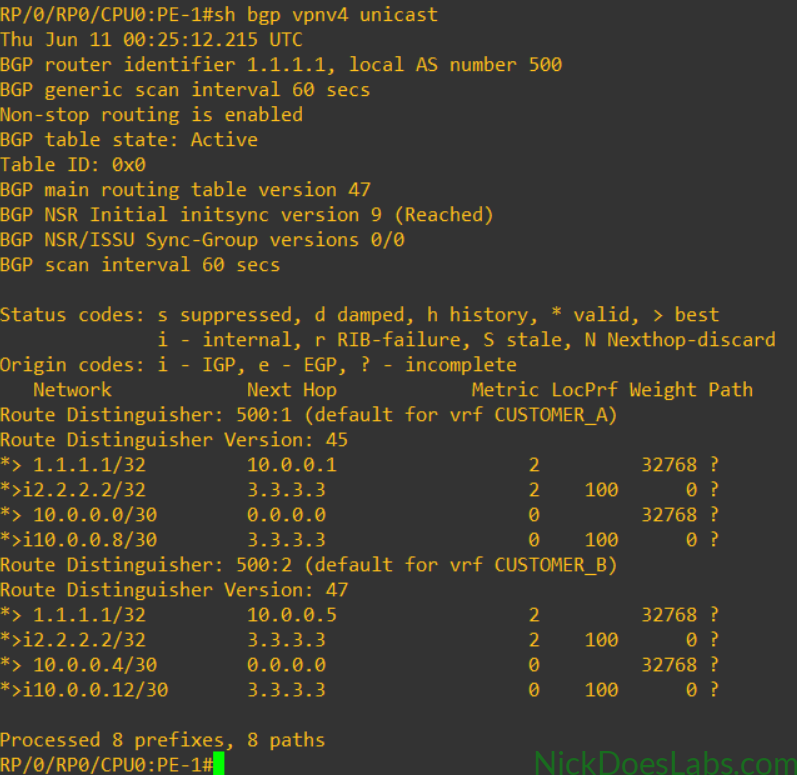
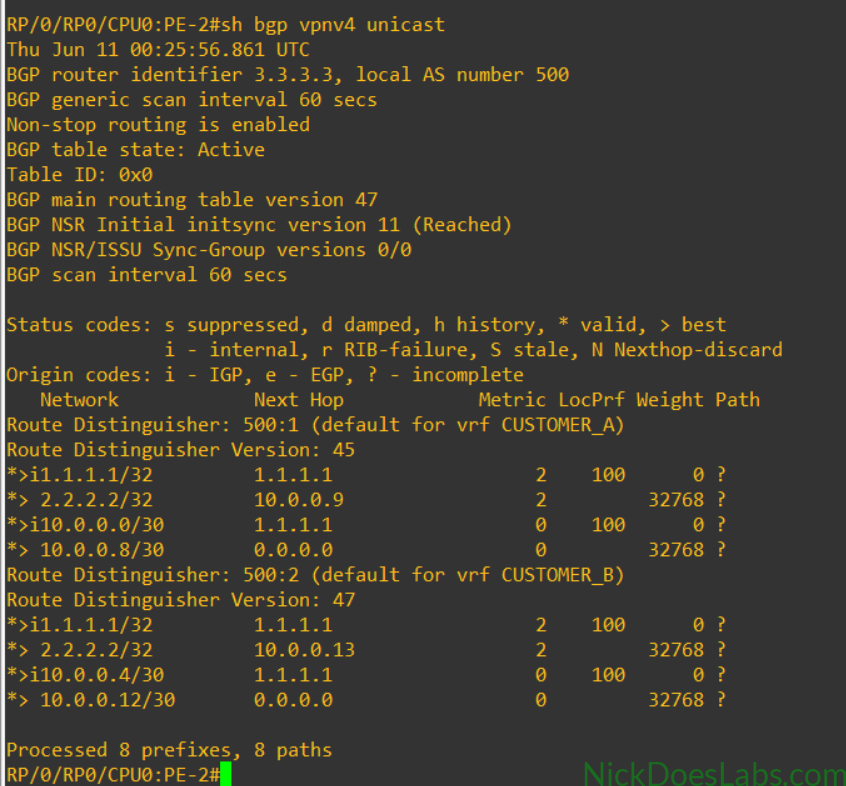
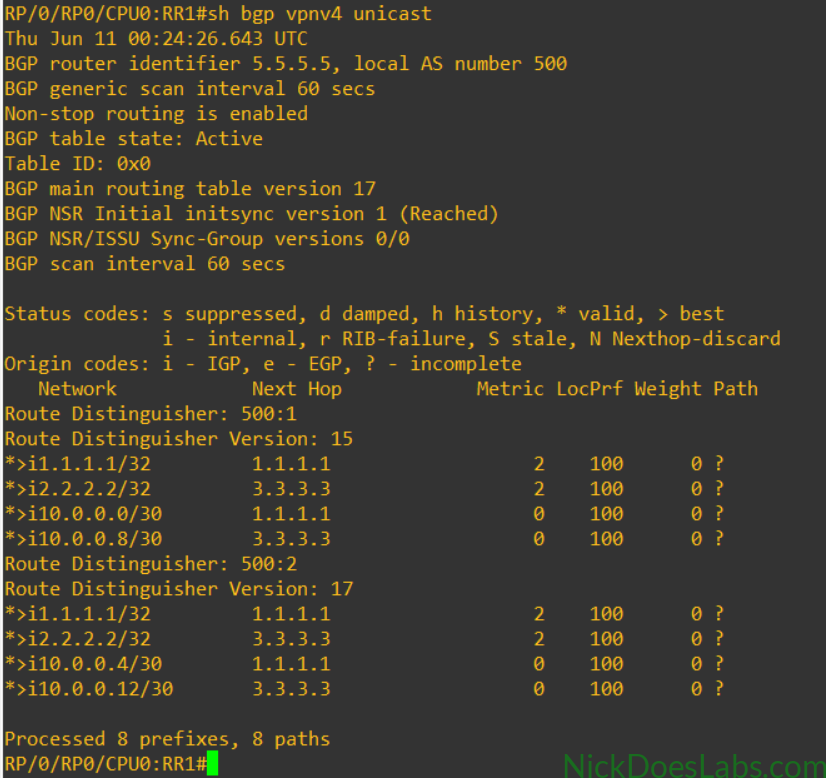
Each routing table carries the same routes. We also see that the route reflector has learned no routes locally, they have all been learned through iBGP.
Finally, we can confirm that our routes are being learned from the route reflector at 5.5.5.5. To do this we will run the command “show bgp vpnv4 unicast rd [rd] [prefix] [mask] detail”.
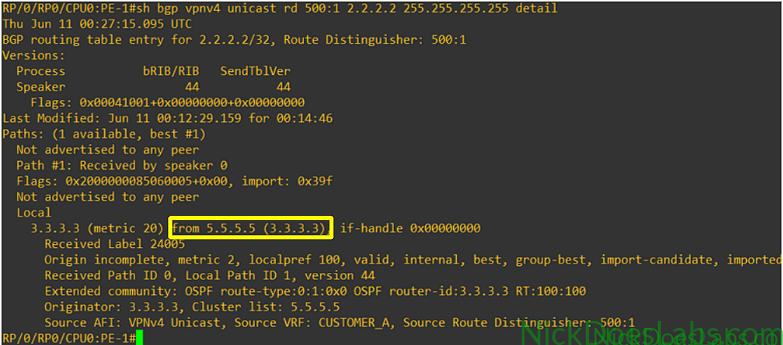
We can see that the route to 500:1 2.2.2.2 255.255.255.255 originated at 3.3.3.3 (PE-2) but was learned from 5.5.5.5 (RR1).
Conclusion
And that’s it, it’s that simple! If you’re wondering why we need route reflectors, I’ll be writing a post going into more detail on the purpose of route reflectors and what they accomplish. Thank you for reading.
If you’d like to download the lab.yaml file for this lab as well as the router configurations, they are available for free here.